 Cohost
AI co-host · Airbnb and Booking
Your AI co-host for Airbnb. A booking comes in and your team already knows.
It reads your Airbnb and Booking emails, alerts cleaning and concierge staff on WhatsApp, looks after guests in their language and tells you what price to set. You just keep an eye on it from your phone.
Free foreverNo cardPro: 60-day trial

How it works
Three steps, and the rest just happens
The booking lands in your Airbnb or Booking email.Cohost Virtual reads it and logs it, with the guest's phone number if they wrote it.
It alerts your staff and your guest on WhatsApp.In each city's group, tagging whoever is on duty, at the right time for each step.
You supervise from your phone.And you set prices with your own listing's data, not by guesswork.
The journey of a booking
What it does at each step, and when
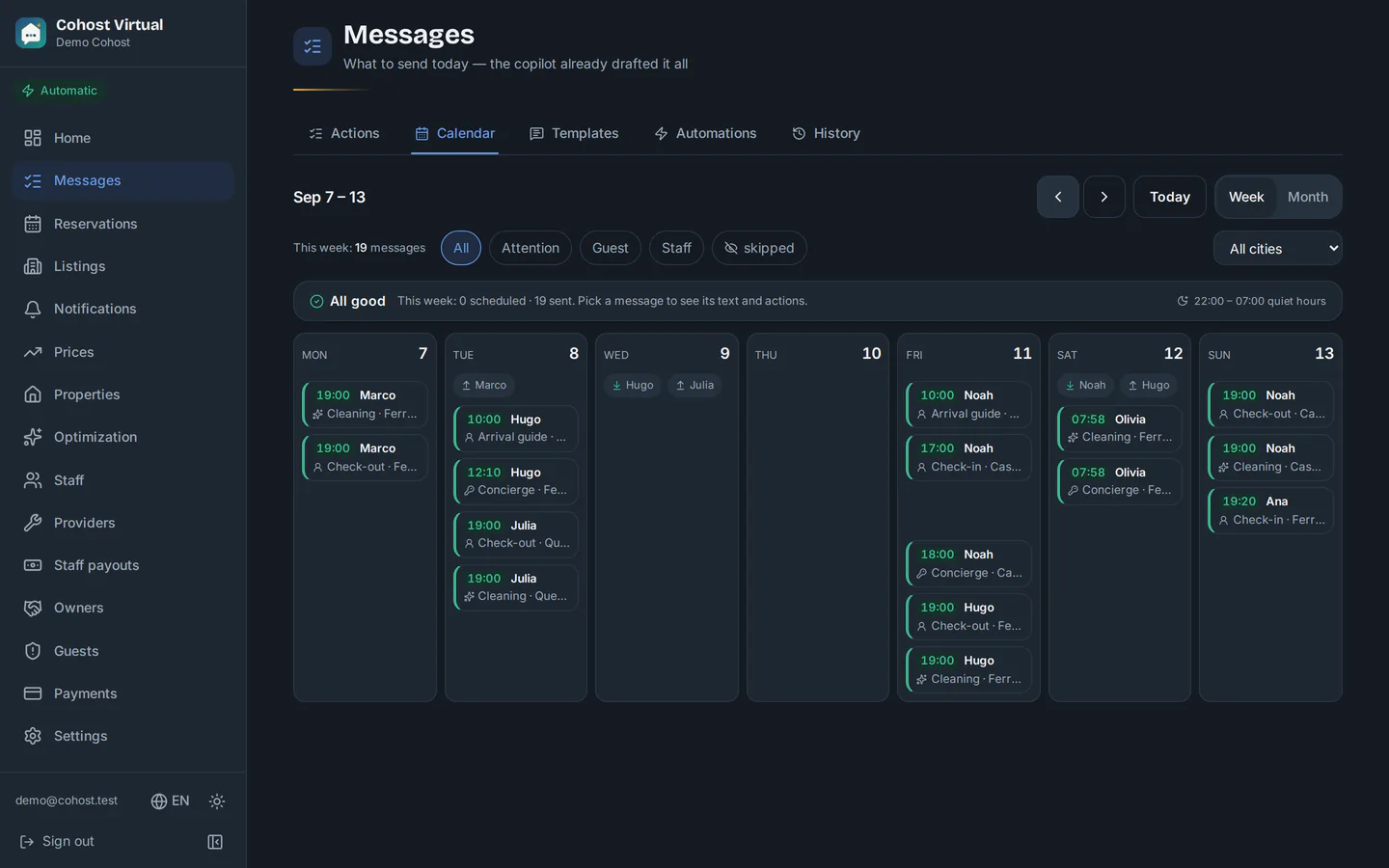
The schedule comes preset and you can change it anytime. Tap a step to see the screen.
Zero manual entry
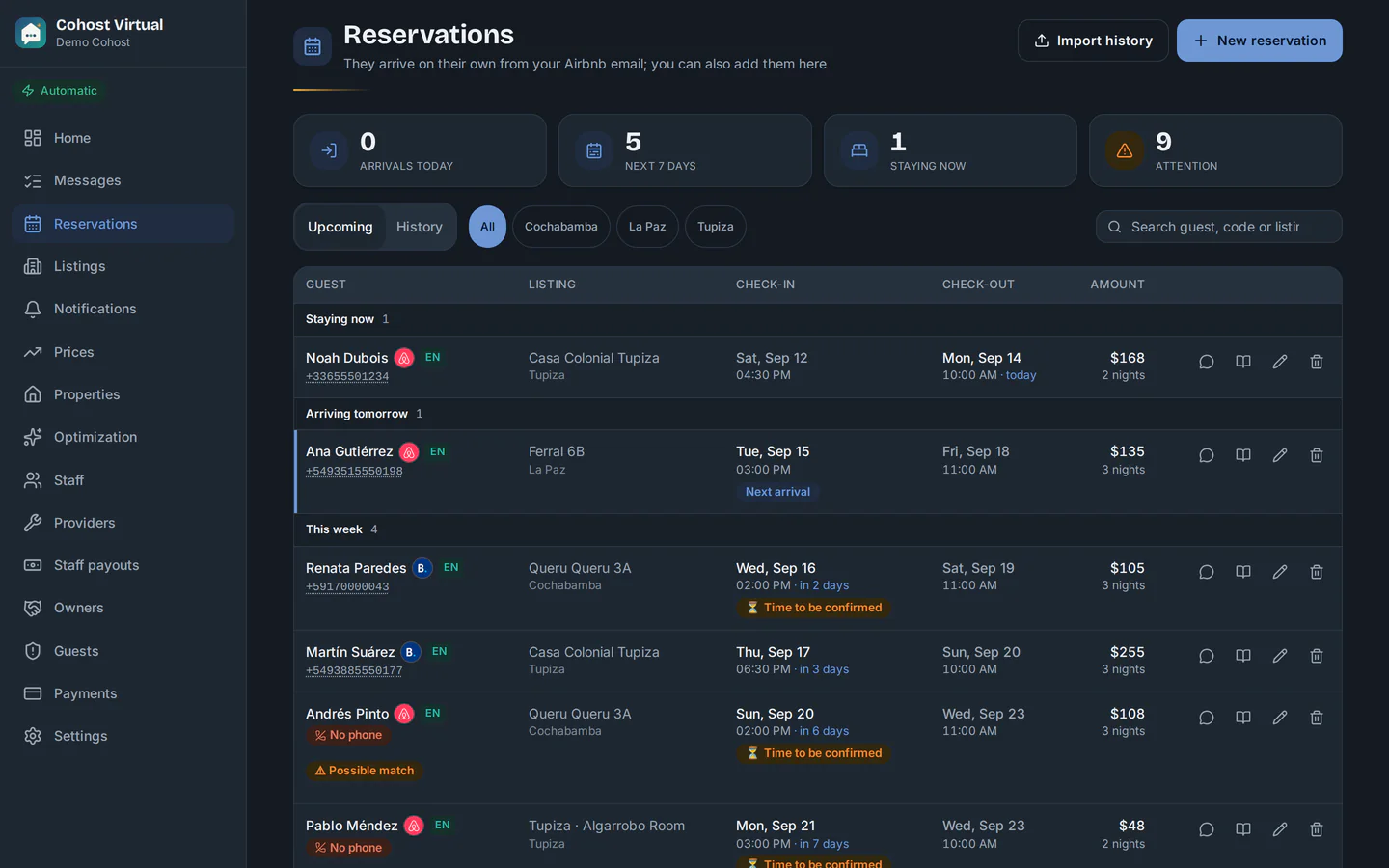
It reads the Airbnb or Booking confirmation email and logs the booking on its own: dates, guest, nights and amount. Date changes, payouts and cancellations too.
- If the guest sends you their phone number through Airbnb, it takes it from the email and saves it: alerts go out without you copying anything.
- With Booking, it fills in the check-out date from the listing's calendar and alerts your team all the same.
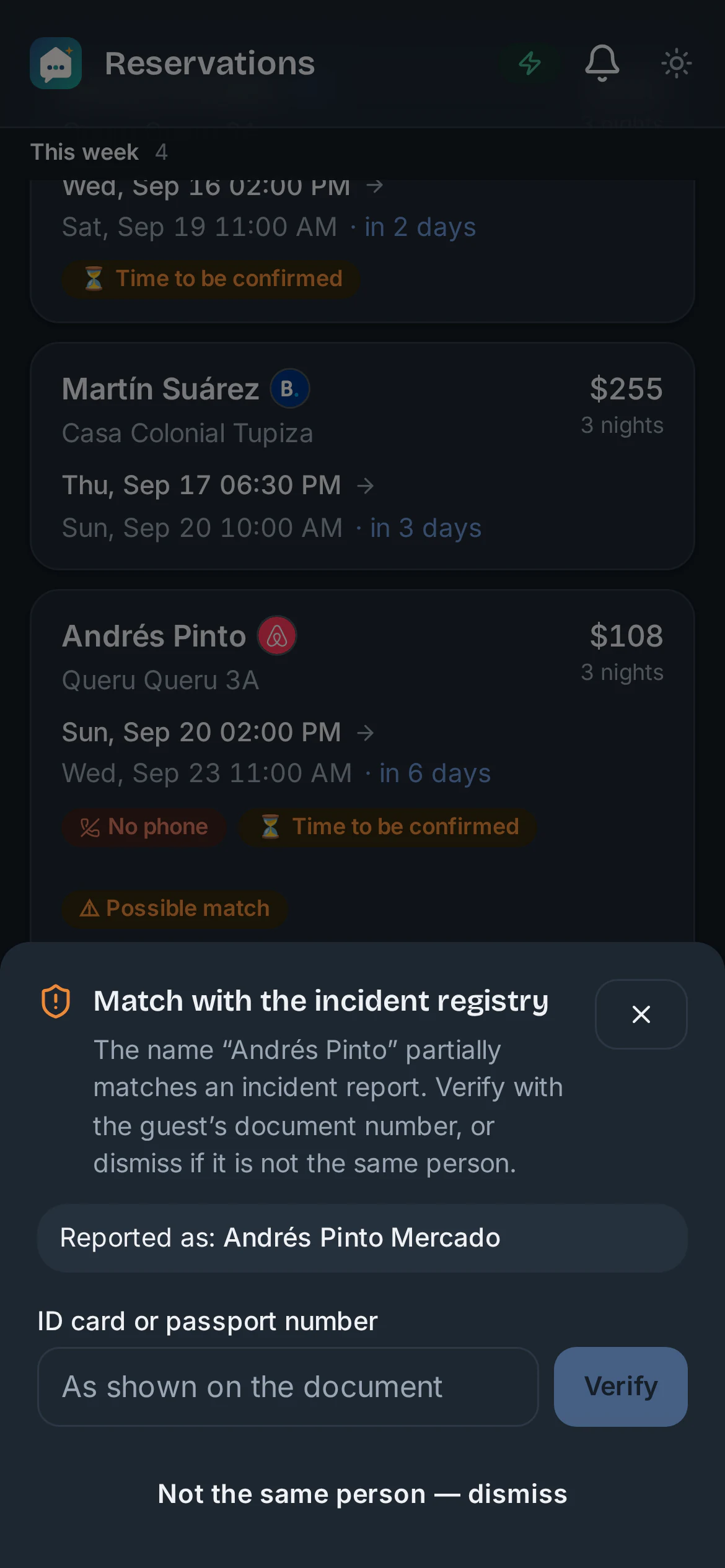
- If the guest resembles someone in your incident log, the booking arrives flagged so you can check it against their ID.
Your team always in the loop
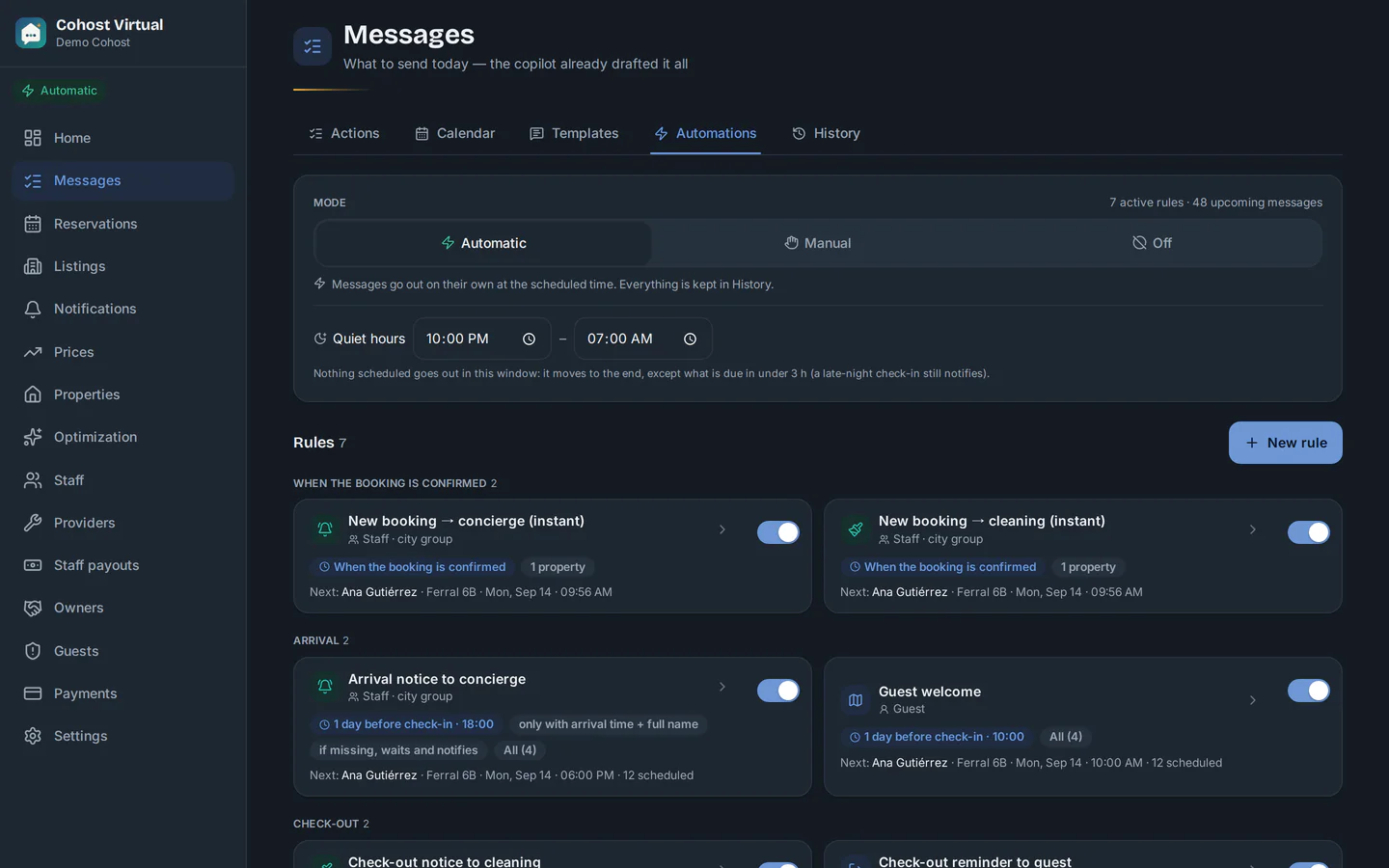
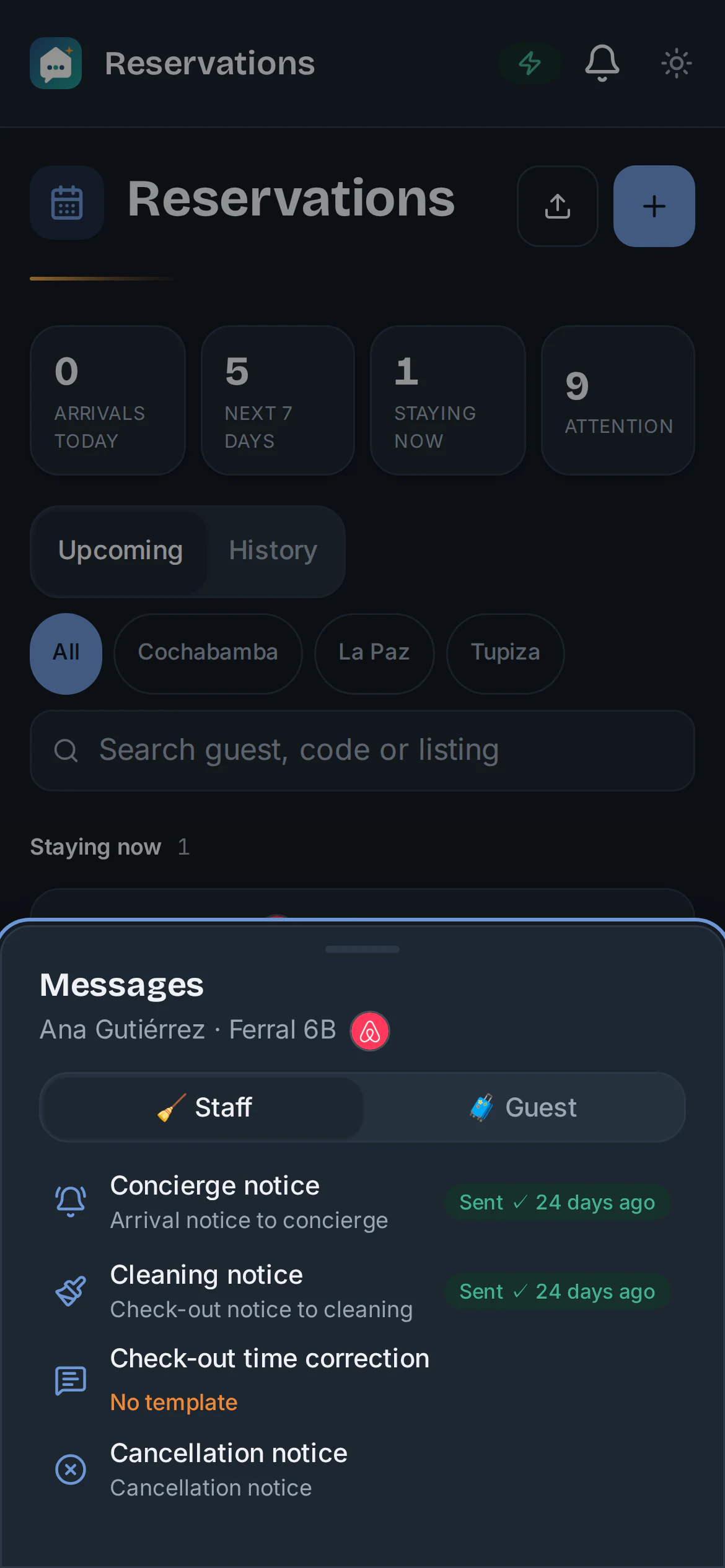
Automatic WhatsApp to concierge and cleaning staff in each city's group, tagging whoever is on duty, with the guest's name, the dates and the exact listing.
- Templates for all 7 steps: arrival, check-in coordination, concierge alert, cleaning alert, check-out, wrap-up and cancellation.
- Automatic, Manual or Off mode: you decide how much control you want, and each rule says when it goes out.
- Quiet hours: nothing goes out at night, except for a late-night arrival.
Guests looked after without you watching, in their language
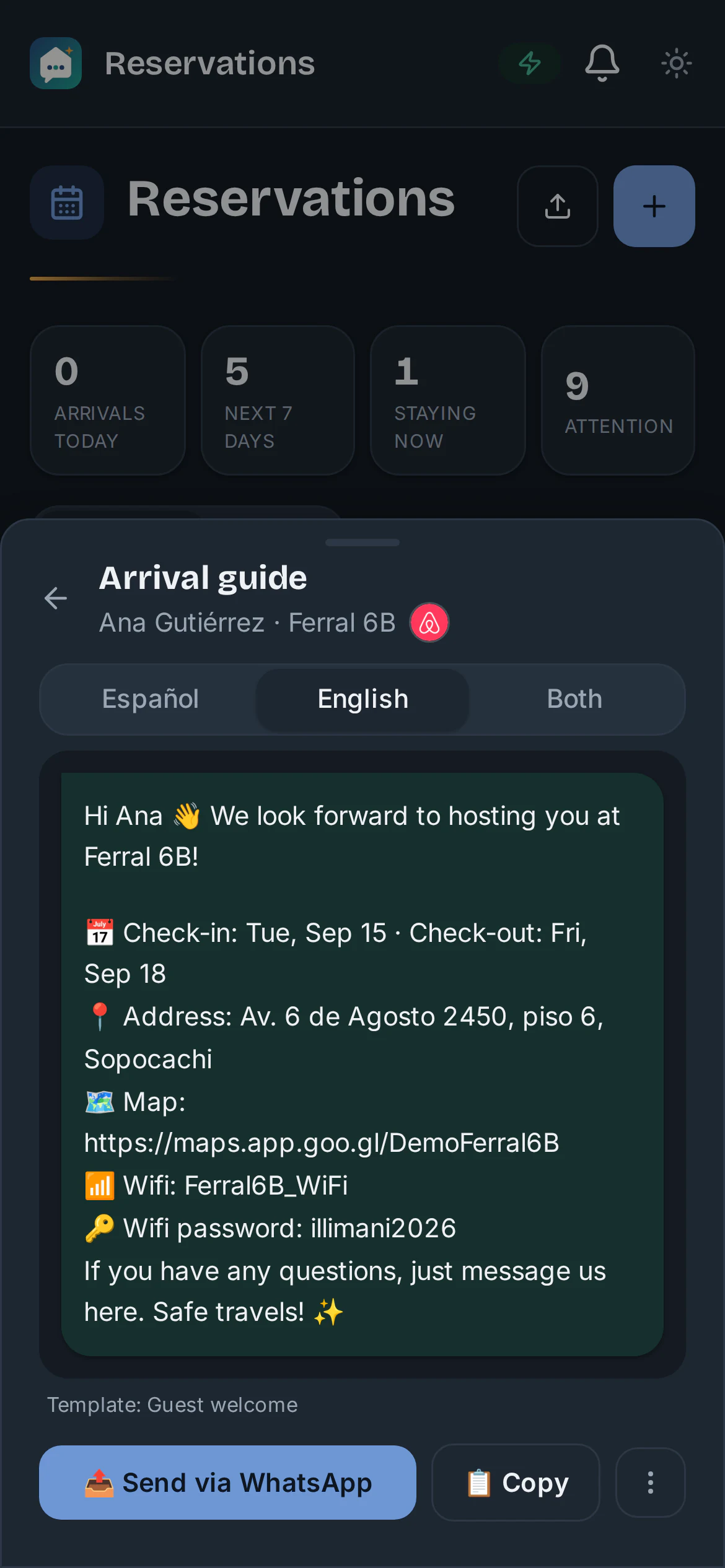
Every guest gets the arrival guide (address, map, wifi, lockbox code) and the check-out reminder at the right time, in Spanish or English.
- You write the template in Spanish and the AI prepares the English version. Review it whenever you like.
- The message calendar shows what went out, what's scheduled and what needs your attention.
- A private incident log so you know who you've had trouble with.
What to charge, with your own listing's data
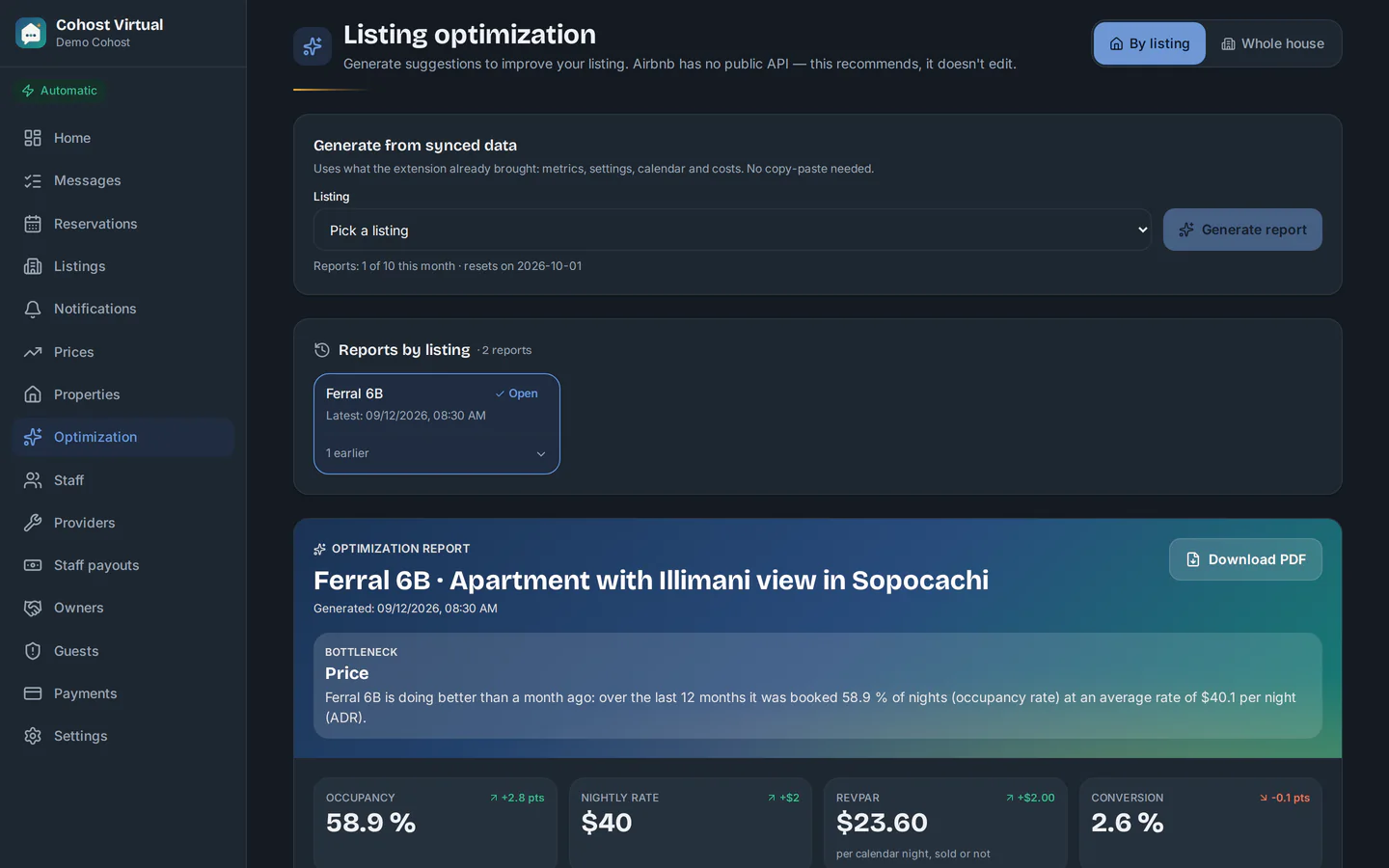
With the Chrome extension you sync your real Airbnb metrics: views, conversion, occupancy and price, compared with similar listings. From that the AI builds a report on what's holding back your occupancy and what to do first.
- Prioritized actions, each with the exact change and how much it could add per month.
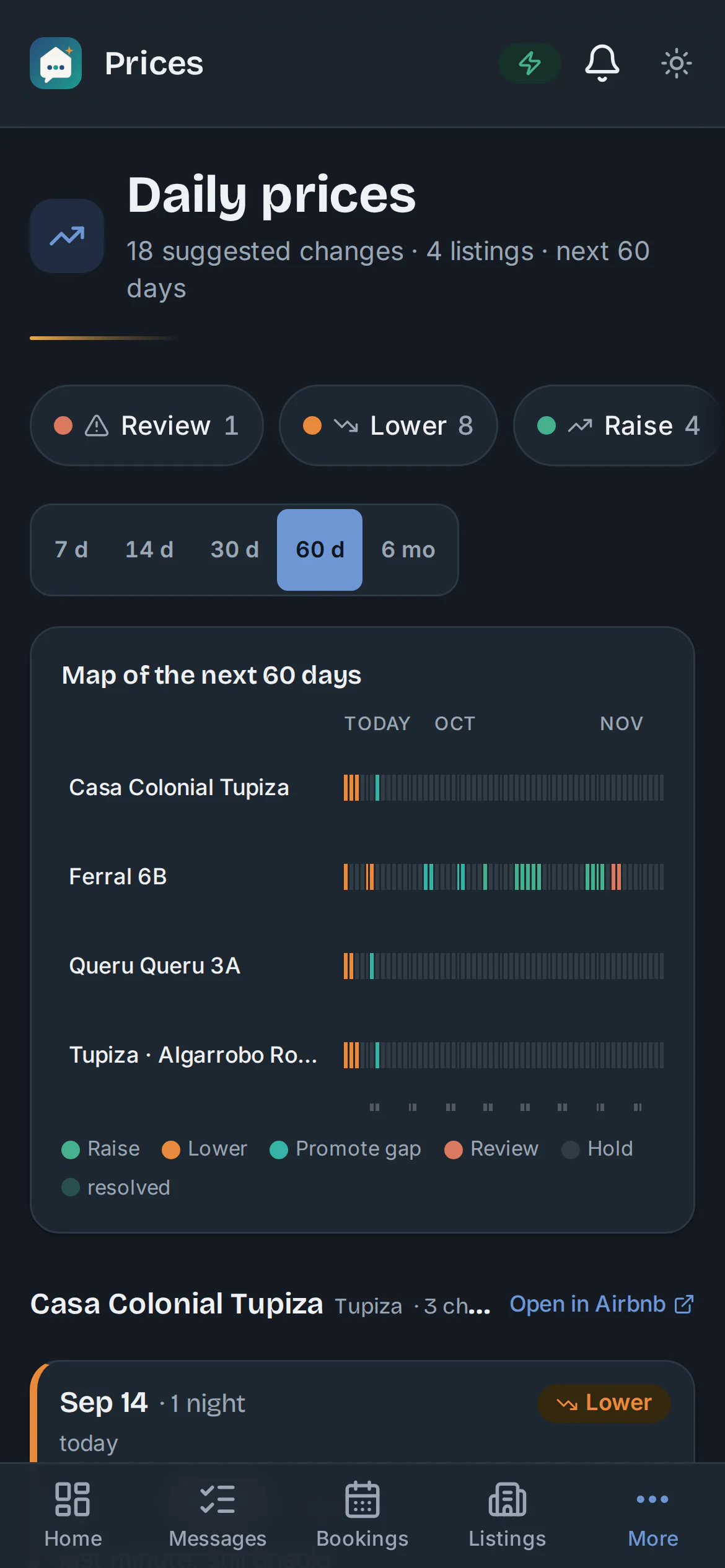
- Date-by-date price suggestions for the next 60 days, taking holidays and events into account.
- What to set in Airbnb per season: base price, weekend price and discounts.
Clear accounts with your team and every owner
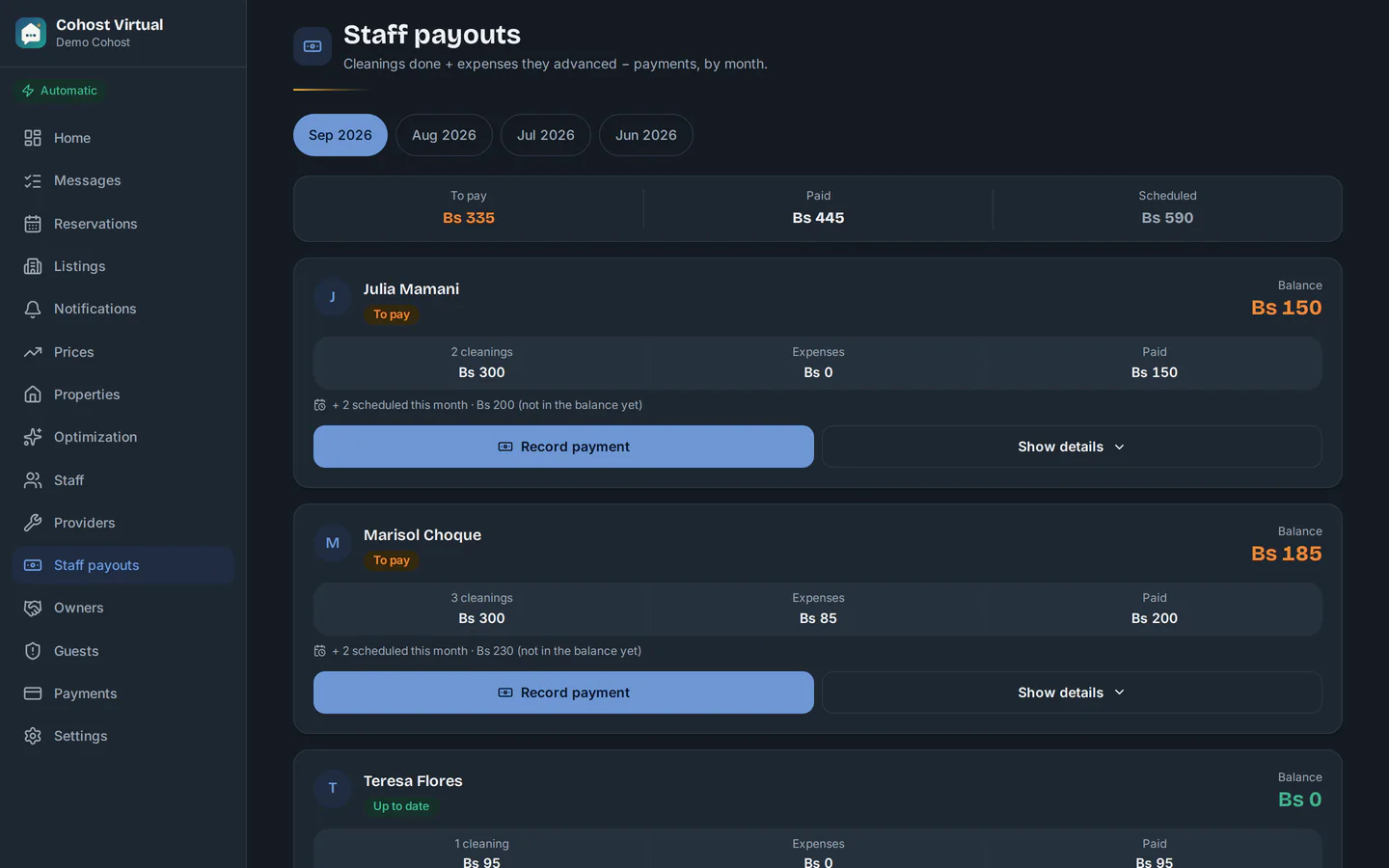
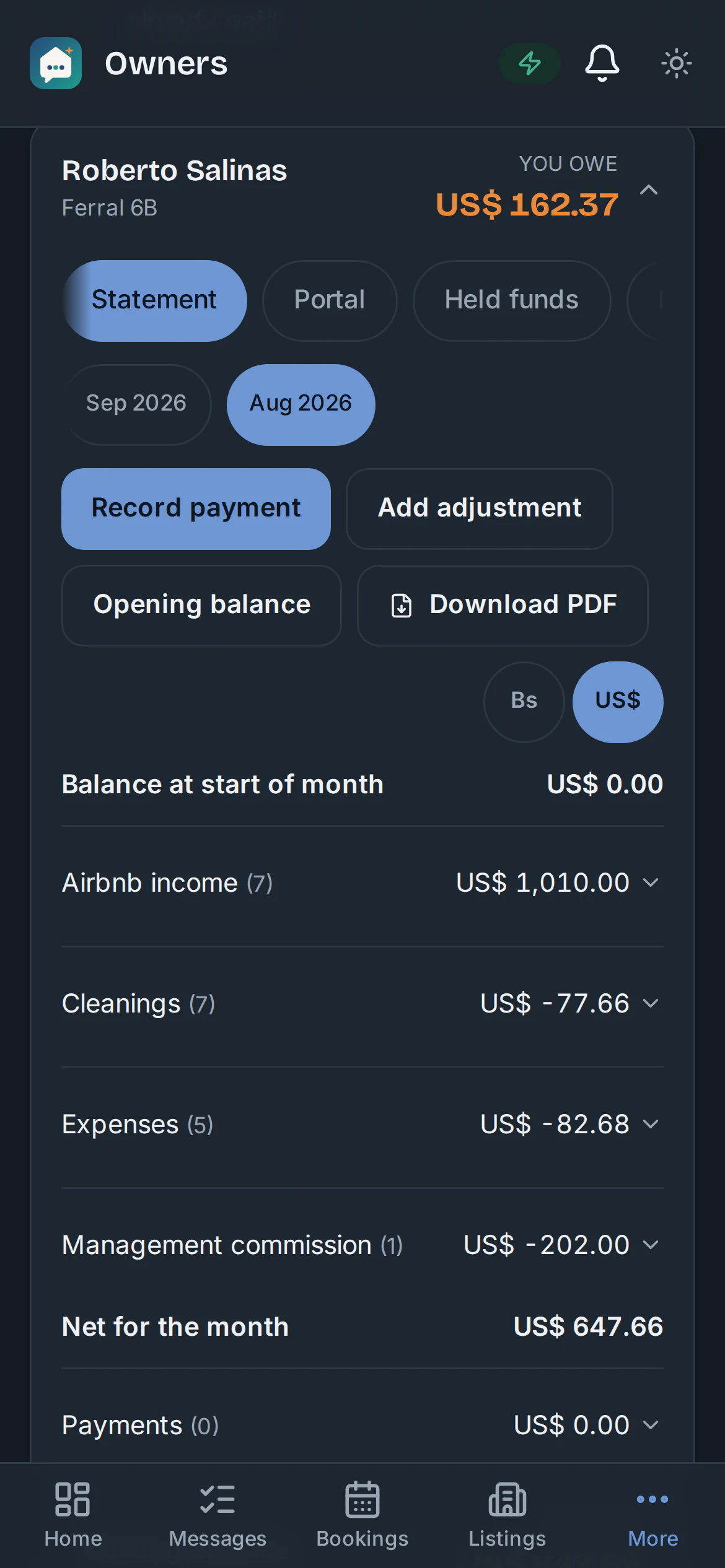
The cleaning payout (cleanings done, expenses advanced, payments and each person's balance) and the monthly PDF statement for the owner: what Airbnb paid, cleanings, expenses, your commission and the balance.
- Every expense keeps a photo of its receipt; the AI reads the amount and date for you.
- When an owner questions something, you find the receipt in seconds, without digging through WhatsApp.
- Repairs (plumber, gas fitter, electrician) are logged with their status and cost.
Everything included
What already works today
All of this is in the app, and it's what I use to run my own listings.
Chrome extension
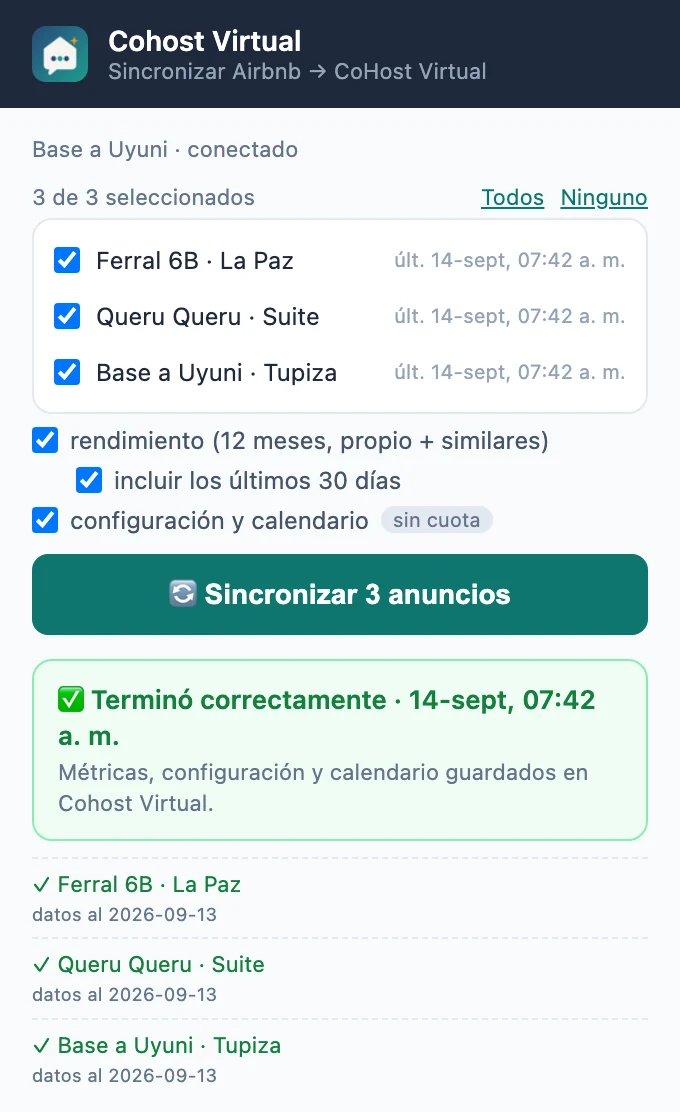
Your Airbnb metrics in one click. Open Chrome with your usual session, pick your listings and tap Sync. Read-only: it never asks for your password and never changes anything in your account.
Bookings
Automatic logging from Airbnb and Booking emails: confirmations, changes, payouts and cancellations. The guest's phone number fills in on its own. Manual entry when you need it.
Your team
WhatsApp alerts to each city's group, tagging whoever is on duty and respecting their hours. History of everything sent. A directory of repair providers, with the free dates to get in.
Guests
Templates per step and per property, with your details: wifi, address, map, times, house manual. English version with AI. Private incident log and guest register for the municipality.
Money and records
Expenses with a photo of the receipt; the AI reads amount and date. Cleaning payouts, owner statements in PDF with their own portal, costs per listing and net profit, in dollars or bolivianos.
On your phone and your computer
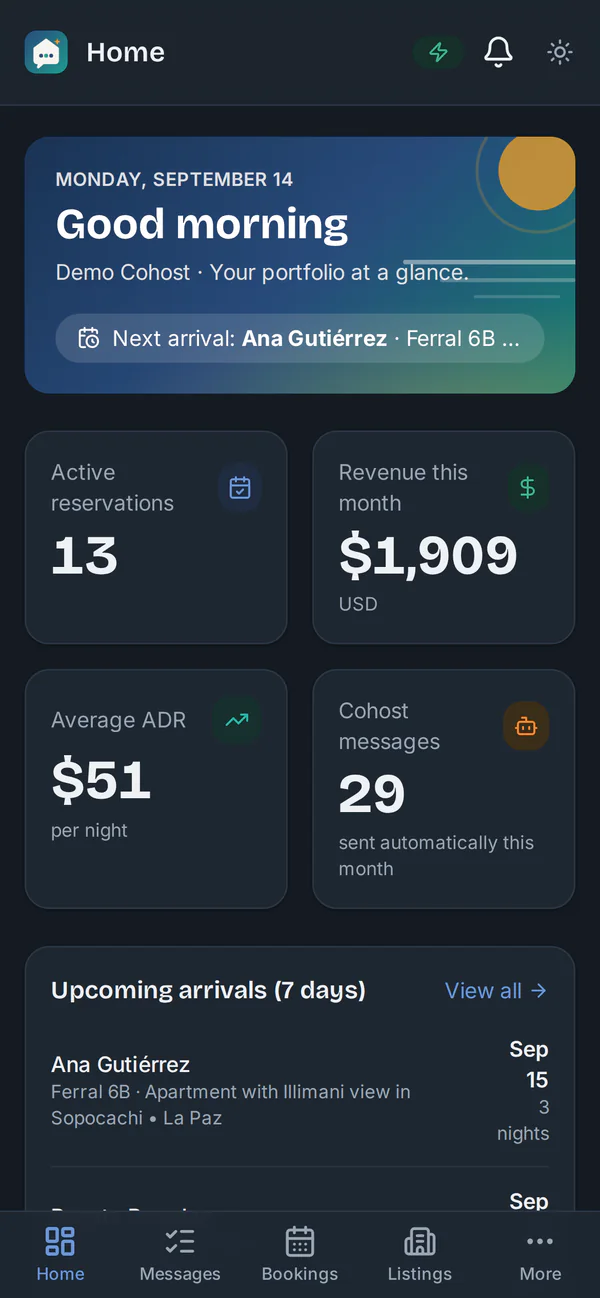
Installs as an app on iPhone and Android, with notifications when a booking comes in or something needs your decision. Log in with Face ID. And on your computer, the same app full screen. Available in English, Spanish, Portuguese and French.
Plans
Start free. Go Pro when you want it to run on its own.
Free
Free forever · no card · unlimited listings
- Guest incident log and guest register.
- Providers and repairs: plumber, gas, electrician, with the WhatsApp message ready to send.
- Manually entered bookings, expenses, cleaning payouts and owner statements.
- 1 AI optimization report.
Pro Recommended from 3 listings
60 days free · then per listing per month · pay in Bs or USDT
- Everything in Free, plus bookings come in on their own from your Airbnb or Booking email.
- Automatic WhatsApp alerts to cleaning, concierge and guests, in Spanish and English.
- Message calendar, staff and groups, Chrome extension and prices based on your market's data.
- We set it up together on a video call.
Frequently asked questions
What hosts ask me
What is a virtual co-host?
It does the job of an Airbnb co-host, but from your phone: it picks up every booking that reaches your email, alerts cleaning and concierge staff on WhatsApp, sends the guest the arrival guide and tells you when to raise or lower your price. You decide whether it sends on its own or you review first.
Do I need the Airbnb API?
No. It works with the email where your Airbnb and Booking reservations arrive, and with your Airbnb session in Chrome, the same one you use every day.
Is it safe for my WhatsApp?
It sends at a human pace: one message per alert and per booking, at the time you set for each one. No bulk sending. And if you prefer to review first, Manual mode prepares every message and you send it with one tap.
Does it work for just 1 listing?
Yes. With 1 or 2 listings the Free plan is enough: incidents, providers, manual bookings, expenses and owners, free forever. Pro is designed for 3 listings or more, where coordination starts to weigh. Create your free account.
What happens after the 60 days?
Nothing is charged during the Pro trial; on day 45 we announce the price per listing and each host decides whether to continue. If you don't, your account moves to the Free plan with everything you loaded. Founding hosts keep a preferential price for life.
What if I'm not good with technology?
We set it up together during the demo: we connect your email, your WhatsApp and your listings, and you leave with everything running. There's also a user manual in PDF (in Spanish).
Start your Pro trial
Three details and WhatsApp opens with the message ready. I'll answer you myself, Carlos.
Rather see it live?
Book a 30-minute video demo: I'll show you the app running a real operation and answer your questions. Monday to Friday, 20:00 to 22:00 (UTC−4).
Book a 30-min demo